
How to Open an STL File Without CAD (Free Online Viewer)
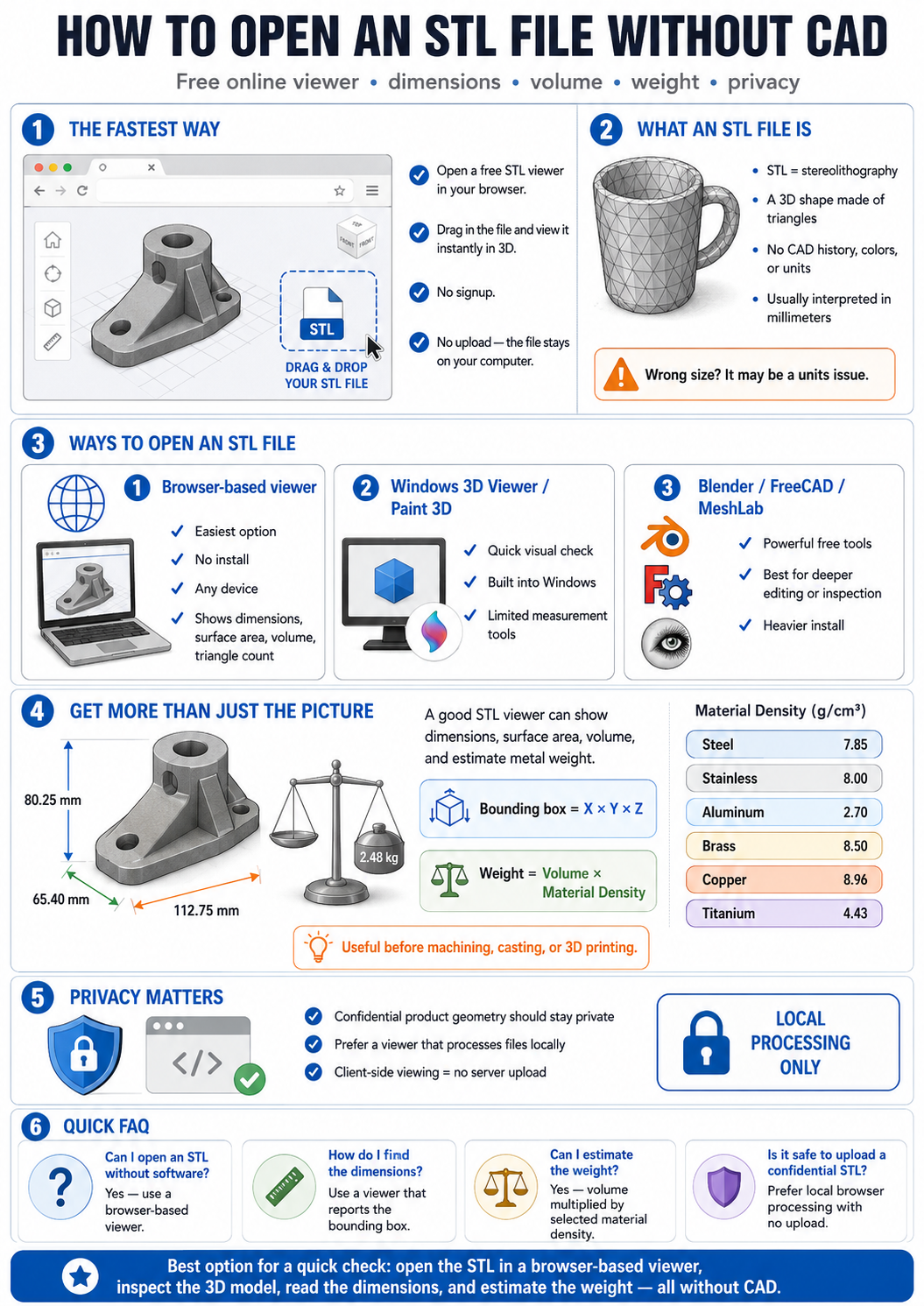
How to Open an STL File Without CAD (Free Online Viewer)
Someone sent you an .stl file and you don't have SolidWorks, Fusion 360 or a slicer installed? You don't need any of them just to look at the model, check its size, or estimate its weight. Here's the fast way.
The simplest option: open our free STL viewer in your browser, drag the file in, and it renders in 3D instantly — no signup, and the file never leaves your computer.
What an STL file actually is
STL ("stereolithography") describes a 3D shape as a mesh of triangles — nothing more. It has no units, no colors, no CAD history. That's why any viewer can read it, and also why the same file can look "wrong-sized" if the units are assumed differently (STL numbers are almost always millimeters).
Ways to open an STL file
- Browser-based viewer (easiest): no install, works on any device. Our STL viewer also reports the bounding-box dimensions, surface area, volume and triangle count.
- Windows 3D Viewer / Paint 3D: built into Windows, good for a quick look but no measurements.
- Free CAD/mesh tools: Blender, FreeCAD, MeshLab — powerful, but heavy installs for a quick check.
Get the dimensions and weight, not just the picture
Viewing is half the job. Before you machine, cast or 3D-print a part in metal, you usually want its weight. Because volume comes straight from the mesh, a good viewer can multiply it by the alloy density to predict the part weight. Our STL viewer does this for steel, stainless, aluminum, brass, copper and titanium.
If you're comparing that to stock material, pair it with the metal weight calculator to size the raw block or bar you'll start from.
A note on privacy
Product designs are often confidential. A browser-based viewer that processes the file locally (in your browser, never uploaded) keeps proprietary geometry on your machine — worth checking before you upload an STL to any online tool. Ours runs entirely client-side.
Frequently Asked Questions
Can I open an STL file without any software?
Yes — a browser-based viewer like our STL viewer opens it with no install and no account, on any device.
How do I find the dimensions of an STL file?
Open it in a viewer that reports the bounding box. Ours shows exact X × Y × Z dimensions, surface area and volume, and lets you switch between mm and inches.
Can I estimate the weight of an STL model?
Yes. Weight = volume × material density. The viewer computes the mesh volume and multiplies by the alloy density you pick, so you get the metal weight before manufacturing.
Is it safe to upload a confidential STL online?
Prefer a viewer that processes files locally in your browser (no upload). Our STL viewer never sends your file to a server — it stays on your computer.